A macOS menu-bar app

Your desktop, dreaming.

WallHush turns the space behind your work into a slow, living scene — and pairs it with a sound engine tuned for sleep, focus, and deep calm. It sits in your menu bar, sips about 1% CPU, and gets out of the way.

macOS 12+Apple Silicon & Intel2 MB downloadno account, no subscription

Finder🌙Mon 9:41 PM
The Aurora scene from the Lo-Fi Nature pack drifting across a desktop
get out there, sport champ
95 scenes · 8 packs · first 3 packs free

Wallpapers that move like weather, not like video files.

Every scene is drawn live by your Mac's GPU — native Metal, no looping MP4s, no browser engine humming in the background. They drift, breathe, and never repeat exactly. Auto-cycle through a pack and a new scene fades in every 15 seconds.

Aurora scene
Lo-Fi Nature10 scenes
Evening Glow scene — golden dusk under early stars
Cozy Lo-Fi10 scenes
Lagoon scene
Tropical Oasis10 scenes
Neon horizon scene
Retro Future10 scenes
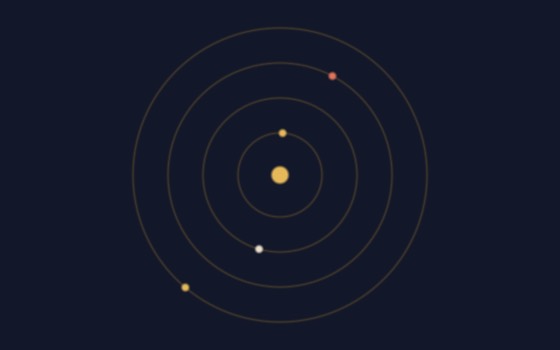
Orbit rings scene
Kinetic10 scenes
White city scene
Tartaria20 scenes
Citadel scene
Arcanum15 scenes
Avocado in a hammock scene
Lazy Potato10 scenes
Scene Studio — grade any scene with 7 sliders audio-reactive: scenes breathe with your session six light-network looks that connect your desktop icons pauses itself when you're not looking at the desktop
The sound engine

Binaural. Isochronic. And a producer's toolkit.

Dial in a brainwave band, pick your carrier, and layer real ambiences over it. One button switches from a two-ear binaural beat to a smooth isochronic pulse that works on speakers — and a second opens Producer Mode, where the pulse locks to your track's tempo.

  • Six bands, epsilon through gamma — deep sleep to peak focus, each tuned with equal-loudness correction so low carriers stay audible.
  • Nine ambiences — rain, ocean, fire, wind, crickets, waterfall and more. Click any of them on or off mid-session; they layer freely and never interrupt what's playing.
  • Library of 100 frequencies PRO — Solfeggio, Schumann, planetary, meridian and Rife tones, each one click from becoming your beat, with the carrier pinnable alongside it.
  • Producer Mode PRO — lock the pulse to 40–300 BPM, then ride a rhythm ladder from whole notes to 64ths (dotted, triplets, quintuplets), pick a waveform, and run a woodblock, click or beep metronome.
  • Meditative layers — gong, singing bowl, healing bells, tingsha, chimes, bagpipes, and a tanpura that is generated live and never repeats.
  • Wind-Down narration — the app turns your evening goals into a spoken sleep meditation and mixes it over your session.
  • Sessions up to 24 hours, exports up to 10 hours as WAV or AAC — or attached straight onto a video export.
Brain Dump & Schedule

A planner built for brains that wander.

One window, four tabs, zero friction. Empty your head, and WallHush helps the pieces land on a real calendar — then pins today's schedule to your wallpaper so it's always in view.

Brain Dump

This week, this month, beyond. Gentle coaching prompts pull ideas out; one line like "dentist tue 10am" becomes a real event.

Journal

Morning Pages to free-write the fog away, Night Goals to reflect — then a schedulizer drafts tomorrow's tasks from what you wrote, for you to confirm.

Habits

Build habits or quit them — daily, N days a week, or pinned weekdays. Check them off from the calendar, watch streaks grow.

Calendar

Your actual Apple Calendar, editable in place, from today to ten years out. Nothing is trapped inside the app.

notes pinned on the wallpaper — 10 fonts, checklists, reminders global Quick Keys for every function today's schedule auto-pinned to the desktop drag desktop files onto a note to build a checklist
Pricing

Free forever. Pro is one payment, not a subscription.

You probably got here from one thing — a wallpaper pack, or the sound engine, or the sleep meditations. Any one of those ships as a $7 Mac app on its own. WallHush is all of them, for the price of one, once. (Comparable focus-audio and wallpaper apps run $5–15 every month.) No subscription, no account, no telemetry — the license activates in Settings and lives in your keychain.

Free
$0
  • 30 wallpaper scenes across 3 packs
  • Binaural & isochronic engine, all bands
  • All nine ambiences, layered freely
  • Sessions up to 10 minutes
  • Audio exports up to 1 minute
  • Planner, journal, habits, notes, Quick Keys
↓ Download free
Lifetime
Pro
$7
  • Everything in Free, plus —
  • All 95 wallpaper scenes & 8 packs — Retro Future, Kinetic, Tartaria, Arcanum & Lazy Potato
  • Producer Mode: tempo lock, rhythm ladder, waveforms, metronome
  • Library of 100 frequencies
  • Meditative layers: gong, bowl, bells, live tanpura & more
  • Sessions up to 24 hours
  • Audio exports up to 10 hours, WAV or AAC
  • Record Session: capture what you're hearing, live, wherever you want it saved
  • Automate Sounds: the session moves on its own — beat steps Alpha down to Delta over an hour, the room slowly opens, ambience rotates so the bed never loops. Five presets, or set your own
  • Wind-Down spoken sleep meditations
  • One key, yours forever — up to 5 Macs, all future updates included
  • The same key unlocks Pro on the web app too — 360 Binaural Beats, in any browser, nothing to install

Any one of these ships as a $7 app on its own. You're getting all of them, once, for the price of one.

Get Pro · $7

Not ready yet? I'll email you when new scenes and features land.

A few emails a year. No spam, unsubscribe any time.

Download

Two megabytes. Thirty seconds.

Drag WallHush into Applications, click the 🌙 in your menu bar, and your desktop starts breathing.

User Guide (PDF)every control in the app, and what it does

macOS says the app is from an unidentified developer

WallHush isn't notarized by Apple yet, so macOS blocks it on first open. On macOS 15 and later, right-click → Open no longer works: open System Settings → Privacy & Security, scroll to the message about WallHush, and click Open Anyway. On macOS 14 and earlier, right-click the app → Open → Open. Either way macOS remembers, and every launch after that is a normal double-click.

You should always be careful doing this. So that you can check you got the real file, here is the SHA-256 of the download — run shasum -a 256 ~/Downloads/WallHush.dmg and compare:
f6d8a4cab8fe7001c5dc691d4e190e62890dd67a04c849cd88e70a32c97a4700

What does it need to run?

macOS 12 Monterey or newer, Apple Silicon or Intel. WallHush renders below native resolution on Intel machines and pauses whenever the desktop isn't visible, so it stays around 1% CPU either way.

How does the Pro license work?

Buy once, get a license key by email, paste it into Settings → License. It verifies once and is stored in your macOS keychain — no account, works offline afterwards.

Does WallHush phone home?

No. There's no analytics and no account. The only network call the app ever makes is the one-time license check when you activate Pro.